This is what happens when the distance is off on a bake.
You could stop scrolling now and save some cones in your eyes.
IT HURTS ME
I warned you.

Why? Why did you do this??
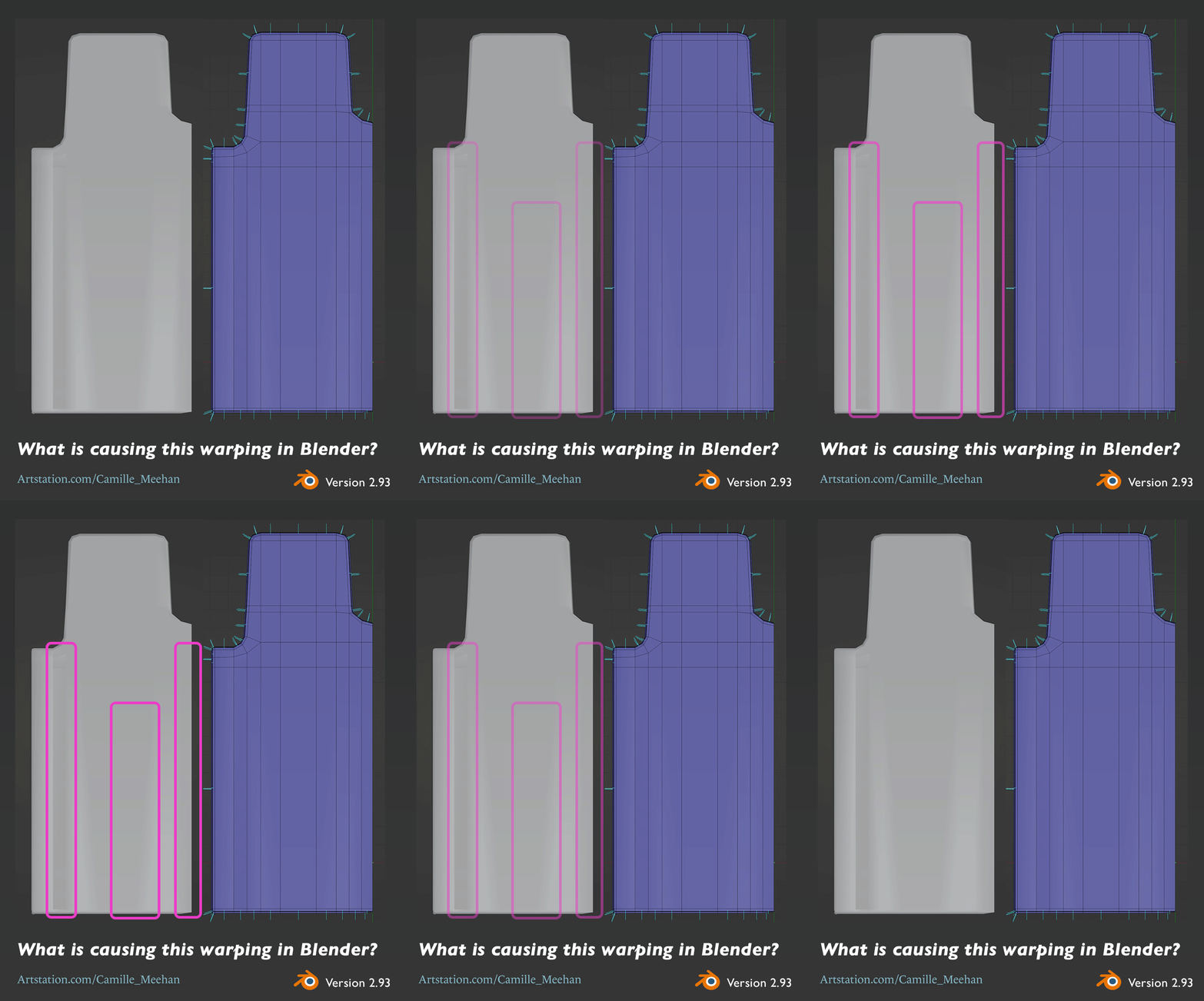
Had an issue with my work on the coaster car a couple of days ago where I was trying to figure out why my normals were all messed up. You can see the ugly distortion on the mesh below.
Is there any obvious flaw with my topology that would cause these ugly warpings? This is the back of a seat that needs to be flat. I've flattened out components, lining them up with the same axis. I also ran a cleanup to remove stray components. I'm new to Blender and any help is appreciated.
(The solution is at the bottom, it is fine to jump ahead.)
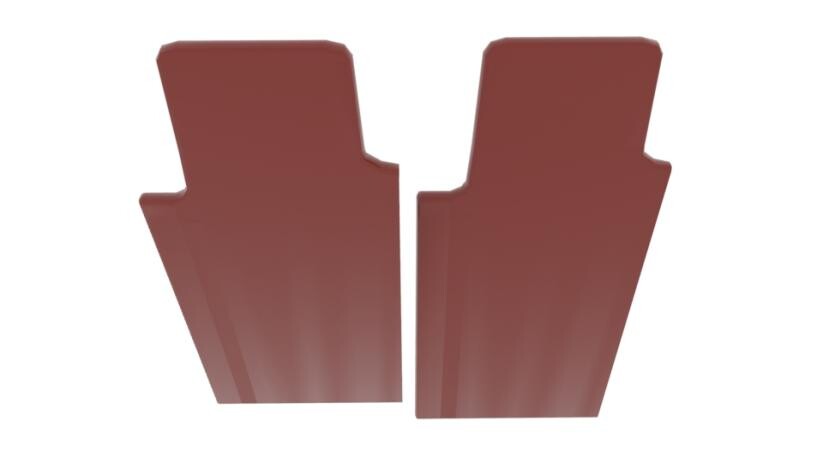
Daniel Lince had me check it out in another modeling program which is a good idea but showed it was still broken. The image below is a render in Arnold from Maya.
FrankPolygon really helped me further down the troubleshoot/educate-myself path. I'm quickly realizing the importance of the Blender docs.
@Camille_Meehan Looks like inconsistencies in the mesh shading properties. Try recalculating the normals, marking the faces with shade smooth, clearing sharp edges and setting the per-object auto smooth value to something above 45°.
Below are some links to the official documentation that covers each operation:
https://docs.blender.org/manual/en/latest/modeling/meshes/editing/mesh/normals.html#recalculate
https://docs.blender.org/manual/en/latest/modeling/meshes/editing/face/shading.html#shade-smooth
https://docs.blender.org/manual/en/latest/modeling/meshes/structure.html#properties
Courtesy of SnowInChina.
Smoothed end result below.

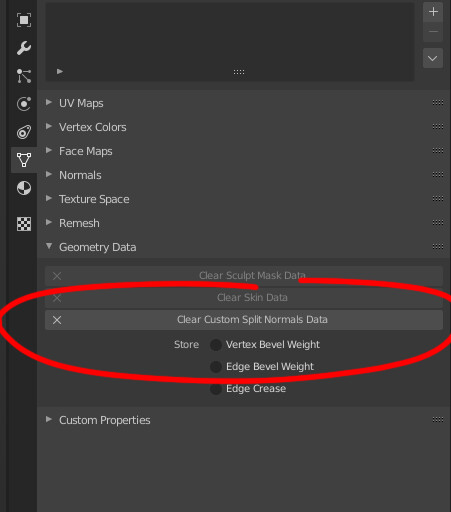
I had earlier smoothed and flattened my meshes to avoid subdividing, which in hindsight, was needless. In between that and the final high poly model, I deleted and filled faces, which resulted in the glorious nonsense above. Clearing the custom split normals data reset all that, which was what I needed.
Do not UV the high poly 3D model when you are making artwork for games. *facepalm*
I'm grateful, that I have learned this, so now I will not repeat this mistake. Moving from 2D to 3D art is hilarious sometimes, I'm thankful for my and Richard Wecke's ability to find levity in disappointment. How he manages to keep his face straight when I ask for feedback, I'll never know. :D
I now direct you to this lovely speed sculpt by Autumn Davis which seems particularly well timed for my mistake.
I've just attained a new skill, God Pencil.

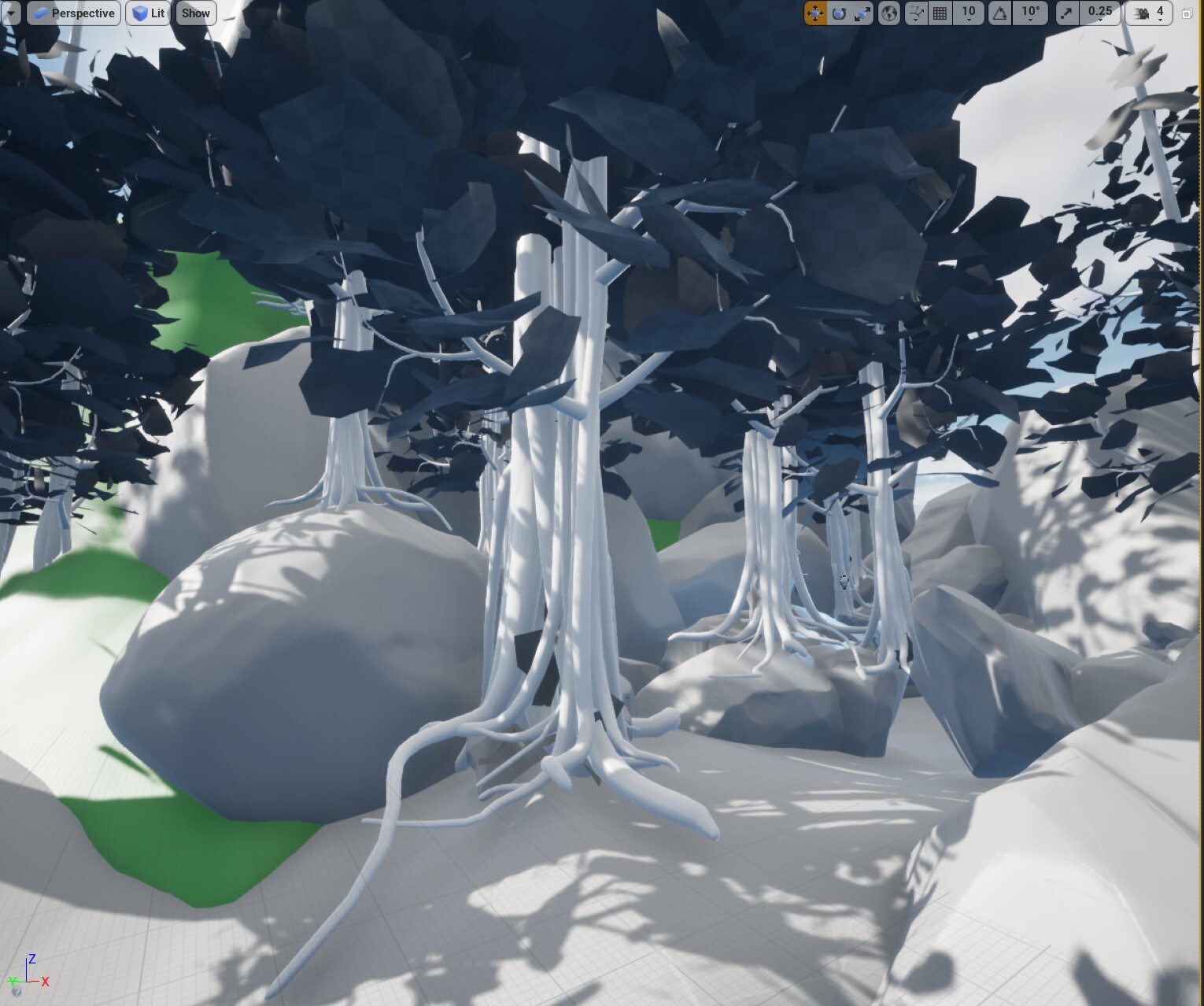
Which is to say that terrain creation in UE4 has me basking in absolute power.

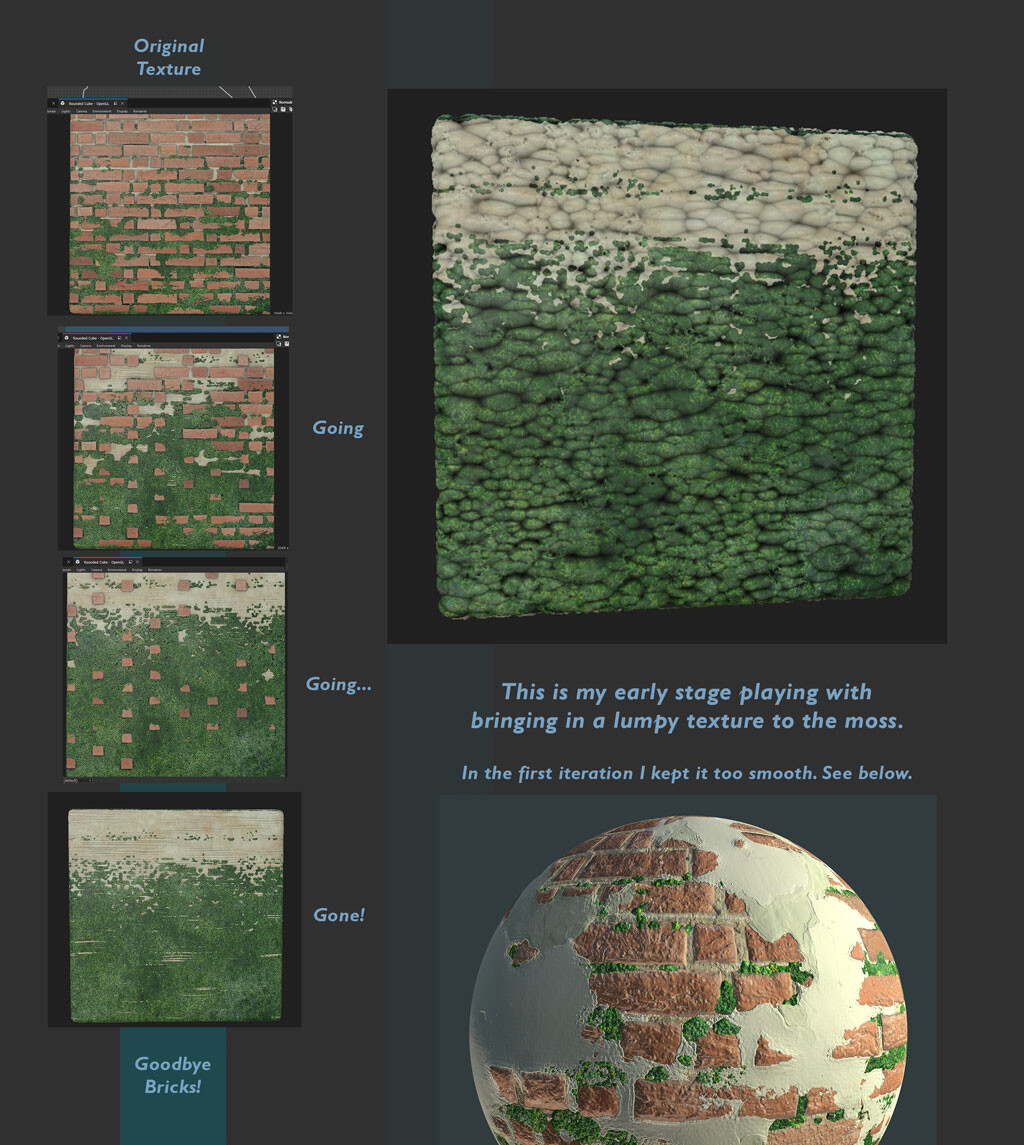
With the full time focus on ZBrush, followed by the rapid switch to learning Blender...I neglected Substance Designer. It feels good to be back, just playing around with this moss/brick texture I made in April. I'm going to borrow and improve on it for my vegetation scene.
It is after midnight. I do a minimum of 30 minutes of modeling every day, and today has been scheduled poorly... so I'm up, getting the modeling in. It is like a daily run, except less sweaty.
I usually go to sleep at eight.
I will however, point out that I set aside my floor plane homework which required some new skills and problem solving, and picked up these anthurium leaves thinking they'd be something I could manage in my dreadful state. I momentarily forgot how to scale them, finding the ztool took longer than it should have, and after finally laying these leaves out on a plane, I remembered why I hadn't baked the anthurium maps out yet. I need to make adjustments, add more variety...and a flower.

Sweet dreams.
Yes, I know that. How can I get faster, faster though?
Because the frequent answer I get to, "How can I be faster?" is practice, and I am already practicing I must look at myself to improve. I'd like to come up with some intentional practice or rules I follow that are specifically geared towards decreasing distraction and avoiding obstacles. Some of my personal challenges below.
In middle school when you drew the PERFECT eye, but never finished the portrait that the eye was a part of because the overall face was out of proportion?
We've all done it, we're searching for why our normals are reversed, or how to create dynamic double sided nCloth, and suddenly a 40 minute ad on the subject you are keenly interested in pops up. Oh no, how can I turn away from sleek abs with this doctor's one simple piece of advice?
How can you speed up your 3d modeling? I suggest you do a similar journal of your own. You probably don't have the same challenges, and maybe you have less appealing 40 minute YouTube advertisements. What I would advise to my friends, is that you choose to improve with intention. Make the effort, pick what you're struggling with and focus on that. Don't do the same practice, you always do. Shake it up.
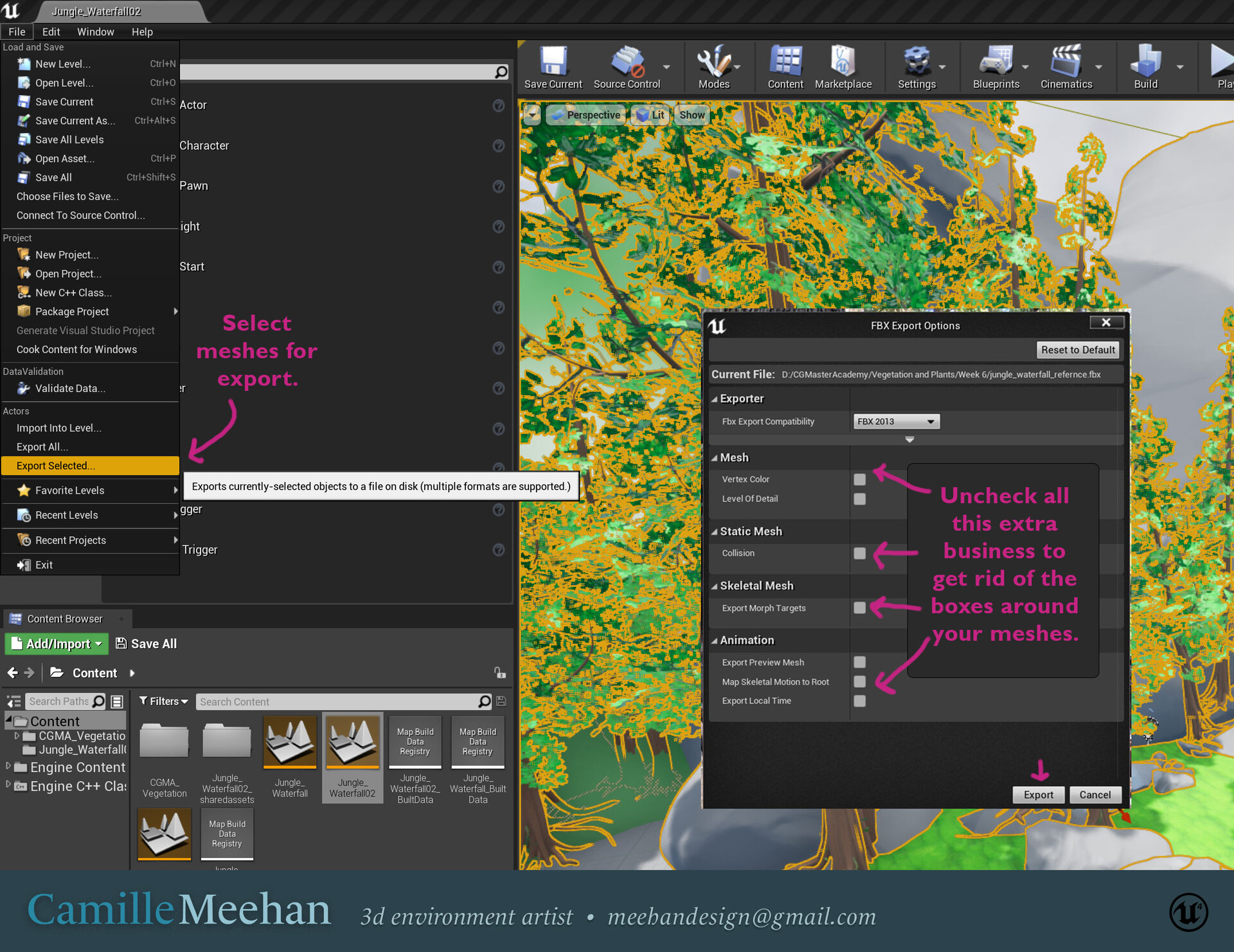
Turns out these are just other objects exported from the Unreal scene and it is very easy to avoid. Simply uncheck all the extra options in your FBX Export Options as in the image below. If you're exporting something large into Maya you might have to adjust your camera clipping to avoid pieces vanishing in the viewport, or turning black.
===========
Original Post
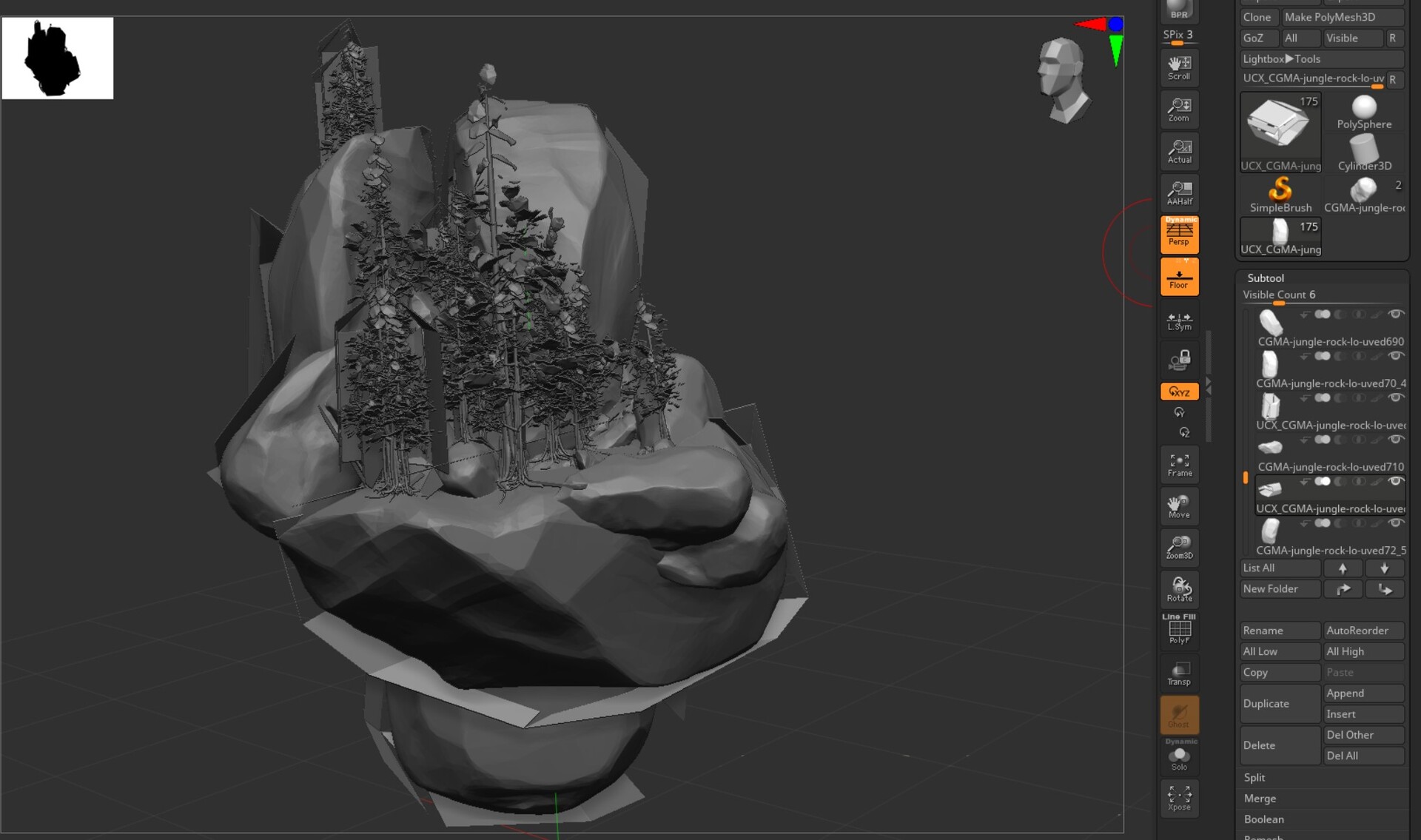
I exported my static meshes from Unreal, to use as a reference for sculpting my terrain in ZBrush. Along with the meshes of the trees and rocks came extra UCX_filename subtools. They look like shells, or boxes partially surrounding the necessary subtool with the regular filename.
This is what I mean by shells, or boxes around the meshes.
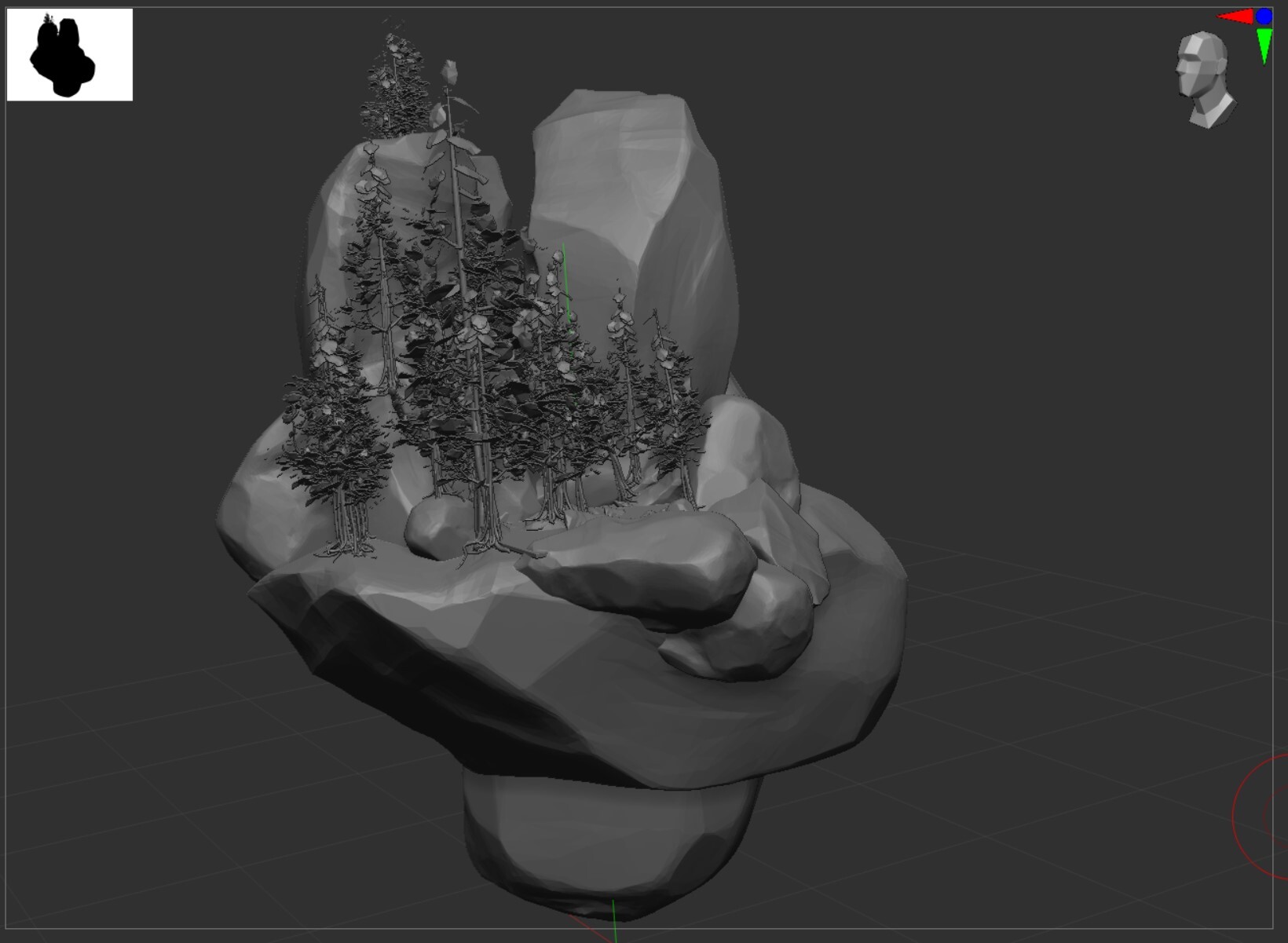
I did a quick search online and there wasn't a fast answer. Despite my curiosity, I can't prioritize troubleshooting/researching what the cause of the extra imported UCX layers was right now.
Please let me know in the comments if you know how to avoid this in the future. Thank you.
Hi there, turns out Unreal 4 is full of excitement. My scene erupted! Now, you might know, or you might not...that Unreal says this on the subject of what format to import for your static meshes.

At the time I simply reset the pivot on all the trees rather than find out why this happened. It is easy to reset the mesh rotation. Everything was off of alignment and I'd need to do a bundle of cleanup, but we're GOOD.
Right?
I needed to reimport the newly improved rocks. I'd made some improvements to the rock, simplifying the faces and accentuating facets. As you can imagine, all of my cliffs vanishes, replaced by beautiful, rolling boulders. I tried to see if I could embrace this new reality of terrain, but realized I would instead need to figure out the issue or spend excessive time redoing my trees and my landscape.
First I tried transforming the reimported file (FBX) on import, various directions. I imported the old file to my updated mesh in Maya to ensure they were similar in position. Everything looked the same in my files, I was pretty irritated at this point. I did not want to redo my rocks.
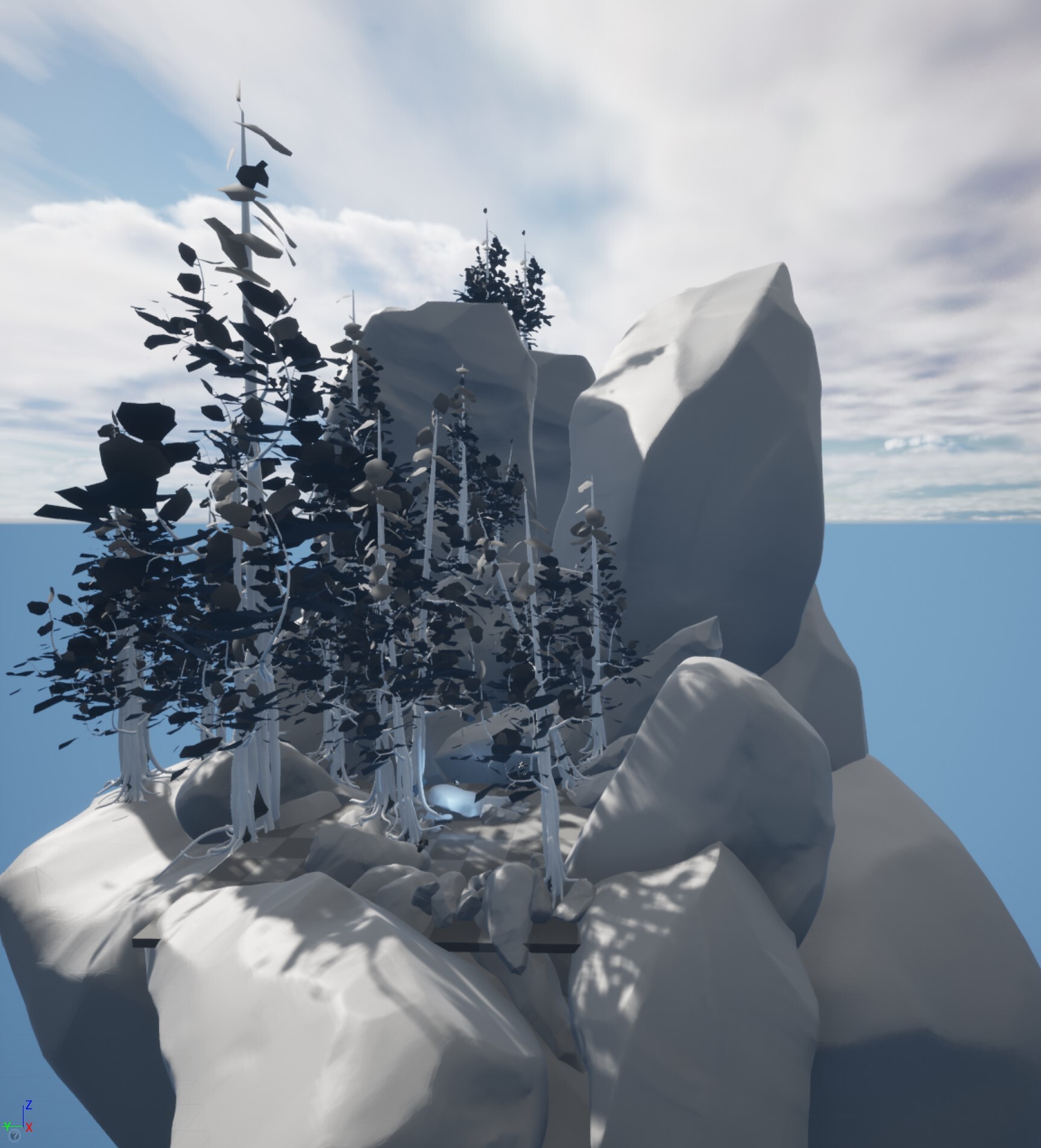
Eventually, I realized that perhaps...it was the file format? And it was! Something in engine must treat OBJ differently, such that it doesn't maintain the original positioning at the origin. Specific to my situation, the rotation changes.
You can learn more (including optimization guidelines O.o) on the FBX Content Pipeline in Unreal Engine 4 on their wiki.
As mentioned in my last post the dog who is not mine, hates his tail. He's been at his new home for almost six months and this is the first time he has done this.

When he first showed up, he wanted to be on the couch with me. He would jump up, then immediately attack his tail. I put a gate around the couch so I could get some peaceful reading in. Over the six months he's very slowly improved, he still spends a lot of time in a cone of shame but he's gettin' a little better week by week.
The photo above is from today, and you can see the dogeared page of Unreal Engine for Visualization. So far I've found the book a challenging read, due to it's technical content. It isn't particularly funny, which really I expected since it is a technical manual.
I'm grateful to be reading it.
Today's CGMA Vegetation Q&A mentioned lightmaps in UE4 and I had just read the section in the book that talked about UVS, lightmaps, and UE4's handling of them. I'm pretty new to the technology behind 3D graphics and game engines, so what this book does for me, is give me the finer details along with the basics. At this point, my CGMA classes are intermediate level classes, they don't cover the basics. It means I'm constantly working overtime to understand things and this book seems to be the lynch pin to help make it all more manageable.
The check boxes in the UE4 material editor? Making more sense everyday.